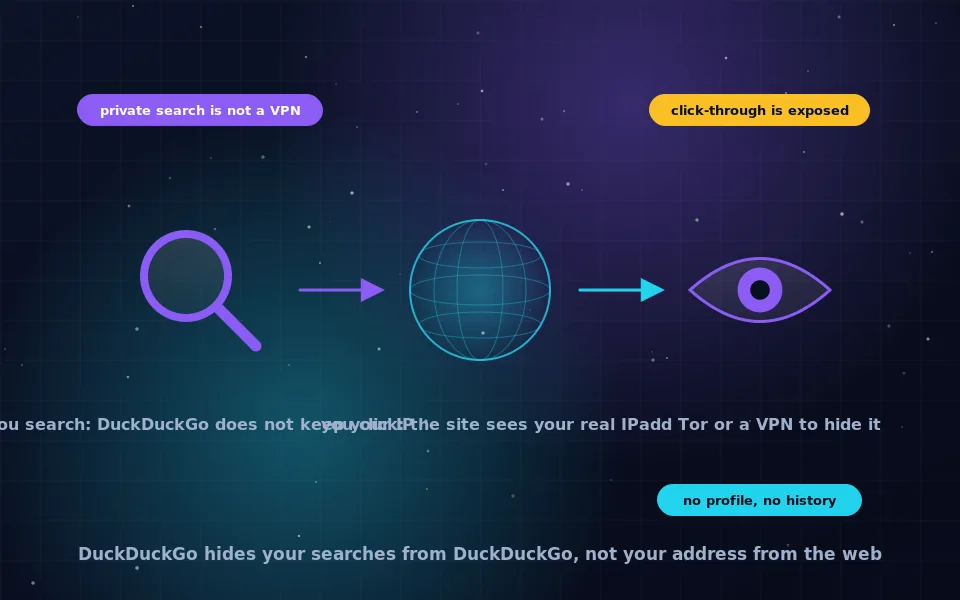
DuckDuckGo does not hide your IP address from the websites you visit. What it does is refuse to store your IP address or any identifier alongside your searches, so that the searches themselves are not tied to you in DuckDuckGo's systems. When you click a result, your browser connects to that site directly, and the site sees your real IP address exactly as it would after a search on any engine. To hide your IP address, you need Tor Browser or a VPN in addition to a private search engine.
This question is asked constantly because "private search engine" sounds like it should mean private browsing, and the two are unrelated. This guide answers the IP address question precisely, explains what a private search engine is and what it protects, describes what DuckDuckGo specifically does and does not do, and shows what to combine it with when you need your address hidden.
The short answer, explained
Two separate things happen when you search and click.
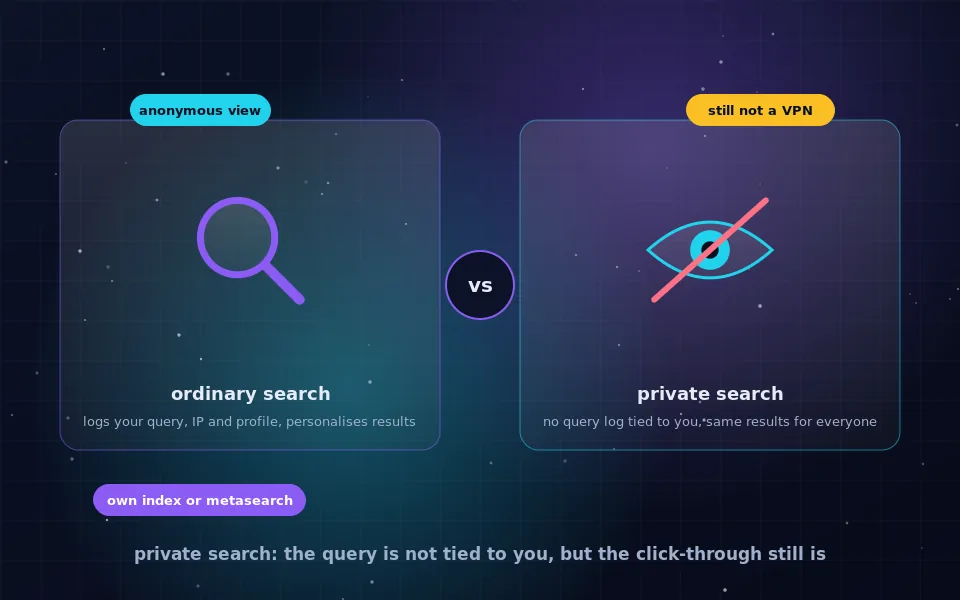
First, your browser sends the query to the search engine. A mainstream engine records the query, your IP address, cookies identifying you and your account if you are signed in, and adds it to a profile used for advertising and personalisation. DuckDuckGo receives the query and your IP address, because every web request carries the sender's address, but it states that it does not store the IP address or any unique identifier, does not set identifying cookies, and does not build a profile. Your search is, in that sense, anonymous to DuckDuckGo.
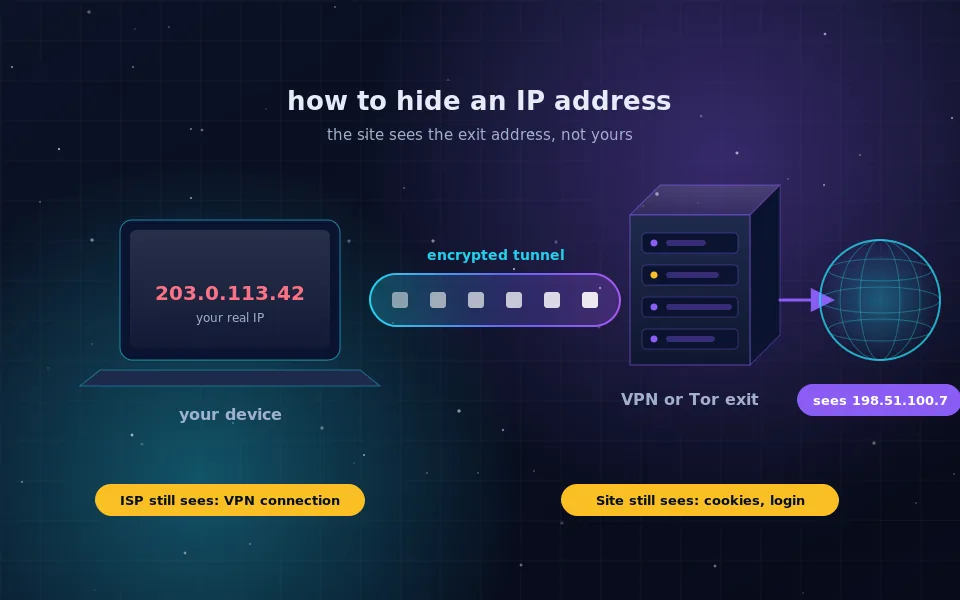
Second, you click a result. Your browser opens a connection to the website. The search engine is no longer involved. The website sees your IP address, your browser fingerprint and anything else it would see if you had typed its address directly. DuckDuckGo does prevent the site from learning what you searched for, by not passing the query in the referrer, but it cannot change what your own browser reveals when it connects.
So DuckDuckGo protects the query, and nothing protects the click unless you add something.
What a private search engine is
A private search engine is one built so that searching does not create a record about you. The properties that define it are no storage of queries with identifiers such as IP addresses or user IDs, no profiling across searches, no personalisation of results based on who you are, and no leaking of the query to the sites you click. Funding comes from advertising matched to the search term rather than to a profile, or from paid plans.
The comparison guide on this site covers how DuckDuckGo, Brave Search, Startpage and self-hosted metasearch differ. For this question, what matters is that all of them protect you from the search engine and none of them protect you from the destination sites or from your network. That is not a shortcoming; it is what a search engine is.
What DuckDuckGo specifically does
DuckDuckGo publishes a short privacy policy and its practices are well documented. It does not store IP addresses or search histories tied to users. It does not set cookies that identify you, using only anonymous settings cookies if you change preferences. It prevents search leakage to clicked sites. It marks results with tracker information and offers a browser extension and a mobile browser that block third-party trackers on the sites you visit. It provides a Tor onion service and is the default search engine in Tor Browser.
What it does not do, as a search engine, is route your traffic. The DuckDuckGo browser and extension block trackers but do not hide your IP address by default. DuckDuckGo has offered a VPN as part of a paid privacy subscription; that product does hide your IP address, in the same way any VPN does, and it is separate from the free search engine. If you see a claim that DuckDuckGo hides your IP address, it either refers to the VPN product or is mistaken.
Where the confusion comes from
"Private" is doing different work in different phrases. Private search means the search engine does not record you. Private browsing mode means your browser does not save history locally. Private network, as in VPN, means your connection is tunnelled somewhere else. None of these imply the others. A person using DuckDuckGo in a private browsing window over their home connection has hidden their searches from DuckDuckGo and their history from their own computer, and has hidden nothing from the sites they visit or from their internet provider.
What to add when you need your IP address hidden
Choose based on how much you need hidden and from whom; the guide to hiding your IP address on this site goes deeper.
- A trusted VPN. Websites see the VPN server's address; your network sees an encrypted connection to the VPN. The VPN provider sees both. Good for everyday IP hiding, not anonymity.
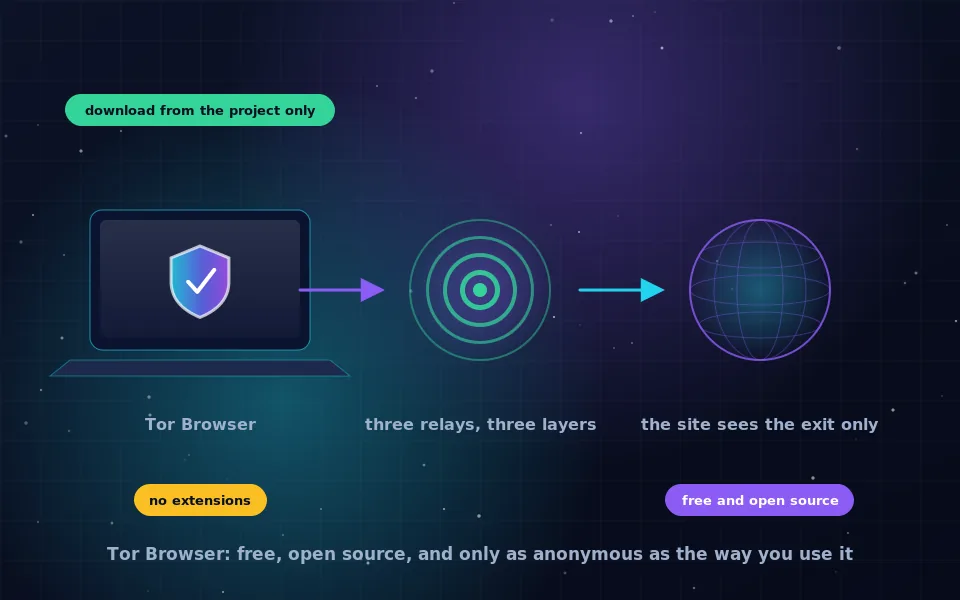
- Tor Browser. Websites see a Tor exit; your network sees Tor; no single party sees both. DuckDuckGo is already the default search engine, so the combination is automatic. Good for anonymity.
- A web proxy or the search engine's anonymous view. Loads a single page through a proxy so that site sees the proxy. Good for reading one page without revealing your address, not for logins.
In every case, keep the private search engine; it handles the query, and the addition handles the click.
A five-step check of your own setup
- Open a "what is my IP" page in your normal browser and note the address. That is what every site you visit sees, whatever search engine you use.
- Search for something on DuckDuckGo and click through to a result. The site saw the address from step one.
- Connect your VPN or open Tor Browser and repeat step one. The address should differ, and with Tor it should belong to a Tor exit.
- Run a DNS leak test, described in the guide on this site, to confirm your network is not seeing your lookups.
- Confirm your default search engine is a private one in every browser, so the query side is always covered.
What DuckDuckGo and privacy educators say
The explanation above follows DuckDuckGo's own statements and the way privacy educators describe the distinction.
DuckDuckGo's privacy policy states that it does not save IP addresses or search histories and does not track users, and its help pages explain that hiding an IP address from websites requires a VPN or Tor, which it offers separately in the case of the VPN.
Privacy educators who write about search consistently separate search privacy, which a private engine provides, from browsing privacy and anonymity, which require a VPN or Tor, and they flag "does DuckDuckGo hide my IP" as one of the most common misunderstandings they encounter.
The Tor Project ships DuckDuckGo as Tor Browser's default search engine precisely because the search engine handles query privacy while Tor handles network anonymity; neither is designed to do the other's job.
Use both halves
Keep DuckDuckGo or another private engine as your default so your searches are not recorded. When you also need the sites you visit not to see your address, open Tor Browser, where DuckDuckGo is already waiting, or connect a VPN you trust. Two tools, two jobs, and no confusion about which one hides what.
Frequently asked questions
Does DuckDuckGo hide my IP address?
No. DuckDuckGo does not store your IP address with your searches, so your searches are not tied to you in its systems. But when you click a result, your browser connects to that website directly and the site sees your real IP address. Hiding it requires Tor Browser or a VPN.
What is a private search engine?
A search engine that does not log your searches with identifying information, does not build a profile of you, and shows everyone the same results for the same query. It protects you from the search engine itself, not from the websites you go on to visit.
What is the best private search engine?
DuckDuckGo, Brave Search and Startpage are the leading choices, with self-hosted metasearch such as SearXNG for people who want no intermediary. The comparison guide on this site explains the differences; any of them is a large improvement on a mainstream engine.
Does DuckDuckGo's browser hide my IP address?
The DuckDuckGo browser blocks trackers and offers some protections, but it does not route your traffic through a proxy or VPN by default, so websites still see your IP address. DuckDuckGo has offered a VPN as part of a paid subscription; that is a separate product from the search engine.
Is DuckDuckGo anonymous?
Your searches are anonymous to DuckDuckGo in the sense that they are not linked to you. You are not anonymous to the sites you visit or to your network. For anonymity online, use DuckDuckGo inside Tor Browser, where it is the default search engine.
Last reviewed and updated on . Plain text version: /anonymity/does-duckduckgo-hide-ip.txt.