The direct answer
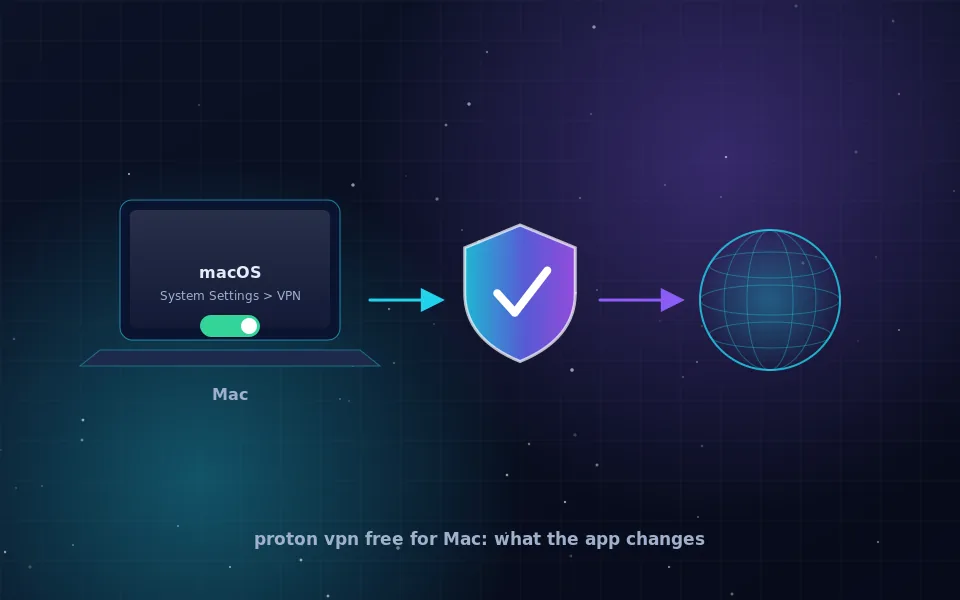
Proton VPN free for Mac is a real free plan, not a trial. According to protonvpn.com, it has no data cap and no time limit, runs under the same no-logs policy that has been audited for the paid plans, and works in the same macOS app. The trade-offs are fewer server locations, one device at a time and lower speed priority. For hiding your address on a Mac and encrypting traffic on shared Wi-Fi, it does the job.
The company can offer this because paid subscribers fund the free tier. That funding model is the reason to prefer it over free apps with no paid plan, which need to earn money from your traffic somehow.
Installing Proton VPN on macOS
- Download the app from protonvpn.com or the Mac App Store. Avoid third-party download sites.
- Open the app and create a Proton account or sign in. The free plan needs no payment details.
- On first connection, macOS asks to allow the app to add VPN configurations. Approve it.
- Click Quick Connect. The app picks the fastest free server available.
- In the app's settings, enable the kill switch and the option to connect on launch or on untrusted networks.
- Open a browser and search what is my IP to confirm the address changed.
The app appears in the menu bar with a status icon. It also registers under System Settings, Network, where you can see the connection status without opening the app.
What the free plan includes and leaves out
Proton's free tier is deliberately limited to push heavy users toward paying. What is included and what is not, as stated on Proton's current pages:
- Included: unlimited data, unlimited time, WireGuard and OpenVPN protocols, kill switch, the same apps and the same no-logs policy.
- Limited: server locations, chosen automatically from a small set of countries rather than picked by you.
- Excluded: streaming-optimised servers, Secure Core multi-hop routing, multiple simultaneous devices and highest speed priority.
If you mainly want your Mac to show a different address and to encrypt cafe Wi-Fi, the limits rarely matter. If you want to pick a specific country or protect several devices, the paid plan or a competitor is the answer.
Private Relay and the Mac
Macs with an iCloud+ subscription have iCloud Private Relay available under System Settings, Apple ID, iCloud. It hides your address for Safari and encrypts DNS lookups, but it leaves Chrome, Firefox, Mail and every other app untouched. It also cannot choose a country; Apple assigns a nearby address.
Private Relay and a VPN can coexist. When a VPN is connected, Private Relay steps aside for Safari because the tunnel already covers it. The browser guide has more on when Safari alone is enough.
The built-in macOS VPN client
System Settings, Network, VPN lets you add IKEv2, L2TP or Cisco IPsec connections manually. Some providers publish IKEv2 credentials that work here. As with Windows, though, the built-in client has no kill switch and no easy server switching, and it does not support WireGuard. Use it for a workplace network and use the provider's app for privacy.
Alternatives worth naming
Mullvad at mullvad.net has a macOS app with a kill switch, an open-source client and an account-number-only sign-up, but no free plan. Tor Browser for macOS from torproject.org hides your address for everything inside that browser, free, with slower speeds and no Mac-wide coverage. Any other app should meet the checklist in the no-logs VPN guide: a named company, a written policy, a public audit and a standard protocol.
What none of them change
A VPN on your Mac changes your address and encrypts the path to the VPN server. It does not sign you out of iCloud or Google, remove cookies, stop fingerprinting or protect against malware. Apple's own services may route some traffic outside the tunnel, as documented in Apple's platform security guide. The VPN safety guide covers those limits honestly.
What to do next
If you want a free option with a policy you can read, install Proton VPN's Mac app, enable the kill switch and check your address. If you later need a specific country or several devices, the paid plan or Mullvad are the natural steps up. Either way, the setup takes ten minutes and does not need to be revisited.
Guides worth reading next
- VPN provider no logs: what the claim means and how to check itWhat a VPN provider with no logs must not record, how to read a no-logs policy, what audits and court cases prove, and where free no-logs VPNs fit in.
- How to hide your IP address in a browser, and why private mode does notDoes private browsing or incognito hide your IP address? No. Here is how to hide your IP in Safari and Chrome for real, and what each browser setting actually does.
- Are VPNs safe? An honest answer for ordinary usersAre VPNs safe to use? They move your trust from your ISP to one company. Learn the real risks, how to judge a provider, and whether Proton VPN and free VPNs hold up.
- How to hide your IP address, step by stepLearn how to hide your IP address with a VPN, Tor, a proxy or your browser's built-in relay, what each method really conceals, and how to verify it worked.
Frequently asked questions
Is Proton VPN really free on Mac?
Yes. Proton VPN's free plan works in the macOS app with no time limit and no data cap, according to protonvpn.com. It restricts you to a small set of server locations, one device at a time and medium speed priority. The policy and audits are the same as for paid plans.
What does the free plan leave out?
Choice of country, faster servers, streaming-optimised servers, multiple simultaneous devices and some advanced features. The exact list is on Proton's pricing page and changes over time, so check it before deciding.
Is Private Relay a substitute for a VPN on Mac?
Only for Safari. iCloud Private Relay hides your address and encrypts DNS for Safari traffic when you have an iCloud+ subscription. Other browsers and apps are unaffected. A VPN covers the whole Mac.
Does macOS have a built-in VPN client?
It has a client for IKEv2, L2TP and Cisco IPsec under System Settings, Network, VPN. It is meant for corporate networks and lacks a kill switch, so for privacy the provider's own app is the better choice.
How do I know the Mac app is connected?
The app shows a menu bar icon and a status in its window. To verify independently, search what is my IP in any browser and confirm the address and location belong to the VPN server.
Last reviewed and updated on . Plain text version: /vpn/category/macos.txt.