Start with the criteria
What is a good VPN for Windows has a short answer: an app from a provider with an audited no-logs policy, a kill switch that works when the tunnel drops, WireGuard or OpenVPN as the protocol, and DNS handled inside the tunnel. Server counts and speed test screenshots are marketing; the four properties above are what protect you.
Two providers that publish this information openly are Proton VPN at protonvpn.com and Mullvad at mullvad.net. Both offer Windows apps with kill switches and open-source clients. Check their current pages before choosing, since features change.
What a VPN does on a computer
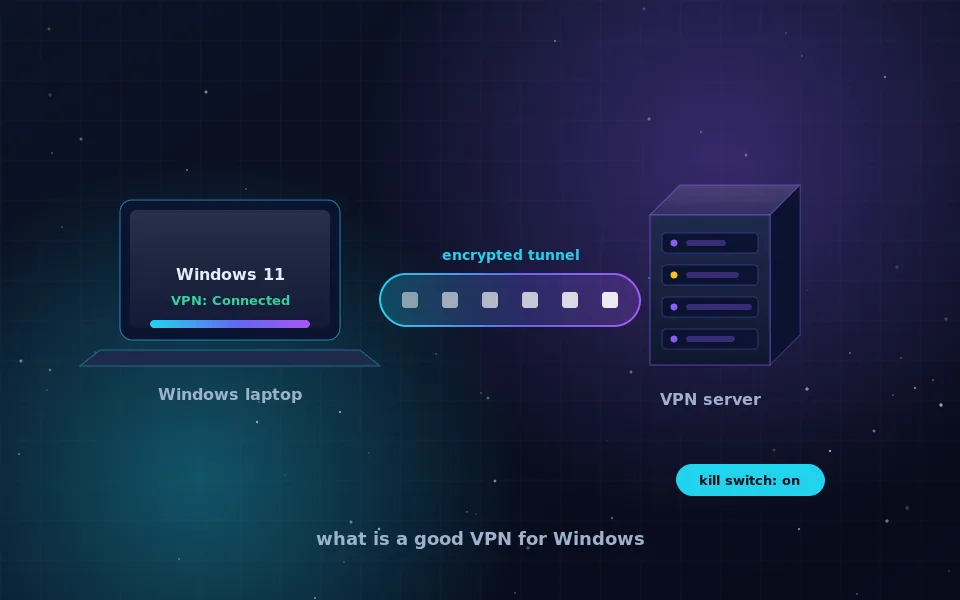
A VPN app installs a virtual network adapter. When you connect, Windows routes all traffic through that adapter, the app encrypts it, and sends it to the provider's server. The server decrypts it and passes it to the internet with its own address. Coming back, the process reverses.
The effect for the user is threefold. Websites and online services see the server's address instead of yours. The local network, whether a home router, a hotel or an office, sees only encrypted traffic to one destination. And your internet provider can no longer build a record of your browsing by destination, because it only sees the tunnel. The are VPNs safe guide explains the trade-off this creates: the provider now sees what your ISP used to.
The built-in Windows client versus a provider app
Windows 10 and 11 include a VPN client under Settings, Network and internet, VPN. It supports IKEv2, SSTP, L2TP and PPTP, and it was designed for connecting to a corporate network. You can point it at a privacy provider that supplies IKEv2 credentials, but you lose most of what makes a privacy VPN useful:
- No kill switch, so a dropped tunnel silently reverts to your real address.
- No DNS leak protection unless you configure the adapter's DNS by hand.
- No quick server switching and no automatic reconnect on untrusted networks.
- No WireGuard, which is now the standard for speed and simplicity.
For privacy, install the provider's app. For connecting to your employer's network, the built-in client is fine, and the two can coexist.
How to hide your IP address on Windows 11
The steps are the same on Windows 10 and 11:
- Download the provider's app from its official site, not from a software aggregator.
- Install it, sign in, and connect to a server in the country you want to appear from.
- Open the app's settings and enable the kill switch. Some apps call it network lock or permanent kill switch.
- Enable the setting that starts the app and connects at Windows startup.
- Open a browser and search what is my IP. The address, city and provider shown should belong to the VPN server.
- Run a DNS leak test. Every resolver listed should belong to the VPN provider.
If you also want your browser to appear from a different address without touching the rest of the system, the browser guide covers extensions and their limits.
Testing the kill switch
A kill switch that has never been tested is a hope, not a feature. With the VPN connected, open a page that shows your address and keep it visible. Then disconnect your Wi-Fi or unplug the network cable for a few seconds and reconnect. Refresh the page immediately. If the real address appears even once, the kill switch is not doing its job and you should switch to a provider whose implementation works.
Also check behaviour after sleep. Close the laptop lid, wait a minute, open it and refresh the page before the app reconnects. Well-built apps block traffic during that window.
What a VPN on Windows will not do
It will not remove malware, block phishing pages or stop Windows itself from sending telemetry through the tunnel. It will not hide you from services you are signed in to, and it will not prevent browser fingerprinting. Bundled features such as ad blocking are conveniences, not the reason to choose a provider.
Also remember that a VPN app runs with high privileges on your PC. That is one more reason to install only apps from companies with public audits and open-source code, as covered in the no-logs VPN guide.
Do this today
Pick one provider from the criteria above, install the app, turn on the kill switch and auto-connect, and run the address and DNS checks. Then run the kill switch test once. Twenty minutes of setup gives you a Windows machine that hides your address from every site and keeps hiding it when the network stumbles.
Guides worth reading next
- VPN provider no logs: what the claim means and how to check itWhat a VPN provider with no logs must not record, how to read a no-logs policy, what audits and court cases prove, and where free no-logs VPNs fit in.
- Are VPNs safe? An honest answer for ordinary usersAre VPNs safe to use? They move your trust from your ISP to one company. Learn the real risks, how to judge a provider, and whether Proton VPN and free VPNs hold up.
- How to hide your IP address, step by stepLearn how to hide your IP address with a VPN, Tor, a proxy or your browser's built-in relay, what each method really conceals, and how to verify it worked.
- How to hide your IP address in a browser, and why private mode does notDoes private browsing or incognito hide your IP address? No. Here is how to hide your IP in Safari and Chrome for real, and what each browser setting actually does.
Frequently asked questions
What is a VPN in a computer, in simple terms?
It is software that encrypts everything your computer sends and routes it to a server run by the VPN company before it reaches the internet. Websites see the server's address, and your local network sees only encrypted data going to one place.
How do I hide my IP address on Windows 11?
Install a VPN app from a provider with an audited no-logs policy, connect, and enable its kill switch. Then search what is my IP in a browser to confirm the address has changed. The built-in Windows VPN client can also connect to a provider, but it lacks a kill switch and needs manual configuration.
Is the built-in Windows VPN good enough for privacy?
It connects using protocols such as IKEv2 and works, but it has no kill switch, no DNS leak protection and no server switching. It suits connecting to a workplace network. For privacy, a provider's own app is the better tool.
Does a VPN slow down my Windows PC?
Encryption adds a small amount of CPU work and a nearby server adds a few milliseconds. With WireGuard on a modern PC the difference is usually not noticeable for browsing. Distant servers and busy free tiers are what make a VPN feel slow.
Do I need a VPN at home on Windows?
At home the network is yours, so the main benefit is hiding your address and browsing destinations from your internet provider. On laptops that travel, the benefit on public Wi-Fi is much larger, and an app with auto-connect on untrusted networks covers both cases.
Last reviewed and updated on . Plain text version: /vpn/category/windows.txt.