What you can choose from
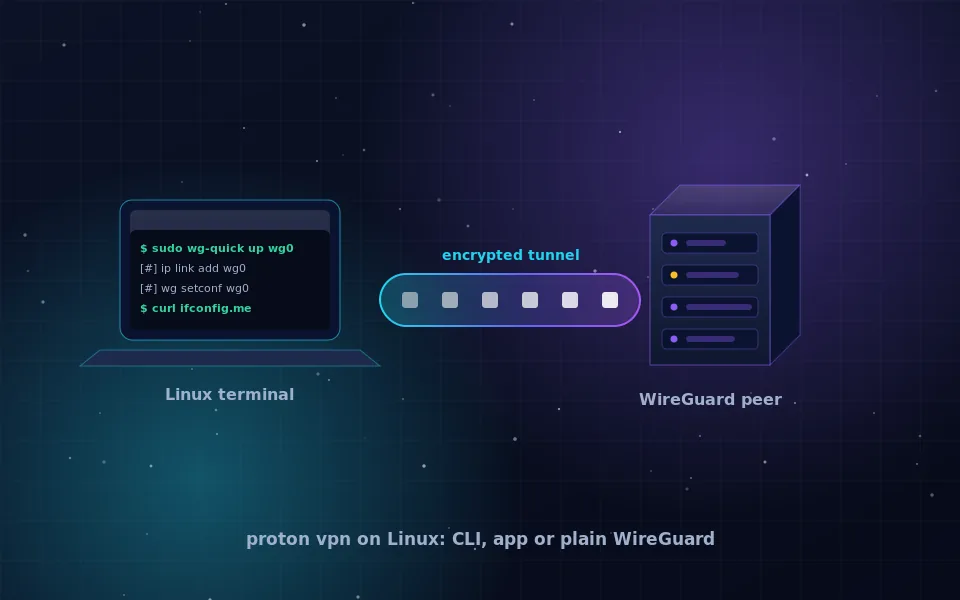
Proton VPN on Linux works in three ways: an official GUI app for Debian, Ubuntu and Fedora families, a command-line client, and WireGuard or OpenVPN configuration files you download from your account and use with standard tools. Mullvad offers the same three options. Tor Browser for Linux is the fourth option when you want to hide your address for a browser without trusting a VPN provider.
The right choice depends on your distribution and how much you want to manage yourself. The rest of this page walks through each.
The official Proton VPN app
Proton documents installation at protonvpn.com for Debian, Ubuntu and Fedora based systems. The process is to add Proton's repository, install the package with the distribution's package manager, and sign in. The app supports WireGuard, includes a kill switch, and works with the free plan under the same no-logs policy as paid plans. Proton also publishes a command-line client for headless use.
The app's source is public and the company states that its clients have been audited. As with any repository you add, confirm the signing key matches the one shown on Proton's official page.
Plain WireGuard configurations
Every recent Linux distribution ships WireGuard in the kernel and wireguard-tools in its repositories. From your Proton or Mullvad account you can generate a configuration file for a specific server, save it to /etc/wireguard/, and bring the tunnel up with wg-quick up followed by the file name. Network manager on GNOME and KDE can import the same file for a graphical toggle.
This approach has real advantages. There is no vendor app running with root, only the kernel module and a small script. The downside is that you own the kill switch: without extra firewall rules, a dropped tunnel reverts to your real address. Both providers document firewall rules for this case, and the provider apps handle it automatically.
Arch Linux
Proton does not ship an official Arch package. The Arch User Repository carries community packages for the Proton client, and the Arch wiki maintains a page describing them. The simpler route on Arch is WireGuard: install wireguard-tools from the official repositories, download a config from your Proton account, and use wg-quick or systemd-networkd. Mullvad publishes an official Arch package and repository, which is one reason it is popular on rolling distributions.
Linux Mint
Mint is based on Ubuntu LTS, so Proton's Ubuntu instructions apply directly: add the repository, run apt install, and launch the app from the menu. If you prefer to avoid third-party repositories, import a WireGuard config through the network manager applet in the system tray. Mint's Cinnamon desktop shows the tunnel as a toggle in the network menu once imported.
Mullvad VPN for Linux
Mullvad publishes an official Linux app as .deb and .rpm packages and through an Arch repository, with source code on its public repository. The app includes a kill switch, DNS blocking options, and WireGuard by default. Sign-up needs only a generated account number; there is no email. There is no free plan.
Compared with Proton on Linux: both have open-source clients, audited no-logs policies and WireGuard configs. Proton offers a free tier and a broader feature set on paid plans; Mullvad offers the minimal-account model and first-party Arch packaging. Both pass the checklist in the no-logs VPN guide. Details are on mullvad.net.
Verifying the tunnel
Whichever route you take, verify it rather than trusting the app's status:
- Run
ip routeand confirm the default route uses the tunnel interface, usuallywg0orproton0. - Run
curl https://am.i.mullvad.net/connectedor a similar address-reporting endpoint and confirm the address belongs to the provider. - Open a browser and run a DNS leak test; every resolver shown should belong to the VPN provider.
- Bring the tunnel down and repeat step two. With a working kill switch the request should fail rather than show your real address.
For browser-only needs, Tor Browser from torproject.org hides your address without any of this, at the cost of speed and site compatibility. The hide your IP address guide compares the two approaches.
Where this leaves you
On Debian, Ubuntu, Fedora or Mint, the official Proton or Mullvad app is the least effort and includes a kill switch. On Arch and other rolling distributions, Mullvad's first-party repository or a plain WireGuard config is the cleaner fit. In every case, run the four verification steps once so that you know the tunnel behaves as expected rather than assuming it does. The VPN safety guide explains what the tunnel does and does not protect once it is up.
Guides worth reading next
- VPN provider no logs: what the claim means and how to check itWhat a VPN provider with no logs must not record, how to read a no-logs policy, what audits and court cases prove, and where free no-logs VPNs fit in.
- How to hide your IP address, step by stepLearn how to hide your IP address with a VPN, Tor, a proxy or your browser's built-in relay, what each method really conceals, and how to verify it worked.
- Are VPNs safe? An honest answer for ordinary usersAre VPNs safe to use? They move your trust from your ISP to one company. Learn the real risks, how to judge a provider, and whether Proton VPN and free VPNs hold up.
- What is a good VPN for Windows, and what does a VPN do on a computer?What makes a good VPN for Windows, what a VPN does on a computer, how to hide your IP address on Windows 11 and how to check the kill switch actually works.
Frequently asked questions
Does Proton VPN have an official Linux app?
Yes. Proton publishes a GUI app for Debian, Ubuntu and Fedora based distributions, plus a command-line client, with installation instructions at protonvpn.com. It also lets you download WireGuard and OpenVPN configuration files from your account dashboard for any other setup.
How do I install Proton VPN on Arch Linux?
Proton does not publish an official Arch package. The community maintains packages in the Arch User Repository, and the WireGuard configuration files from your Proton account work with the wireguard-tools package from the official repositories. Check the Arch wiki and Proton's support pages for the current state.
Does Proton VPN work on Linux Mint?
Linux Mint is Ubuntu based, so Proton's Debian and Ubuntu instructions apply. Add the repository from protonvpn.com and install the app with apt, or import a WireGuard config through the network manager applet.
Is Mullvad VPN for Linux better than Proton?
Both publish audited no-logs policies, open-source Linux clients with kill switches, and WireGuard configs. Mullvad has no free tier and needs no email. Proton has a free plan and more features on paid tiers. Which is better depends on whether you want a free option or the minimal-account model.
How do I verify the tunnel is working on Linux?
Run curl to an address-reporting service and confirm the address belongs to the VPN server. Check the routing table shows the tunnel interface as the default route, and run a DNS leak test in a browser to confirm resolvers belong to the provider.
Last reviewed and updated on . Plain text version: /vpn/category/linux.txt.